Plan with AI
Don't want to start from a blank page? Click Plan with AI in the trip header and OrientME drafts a full day-by-day plan you can keep, tweak, or delete.
What you need first
You need two things first: your travel dates and at least one destination (a country is enough — a city is even better). If either is missing, the sheet tells you exactly what to add.
Set the feel of this trip
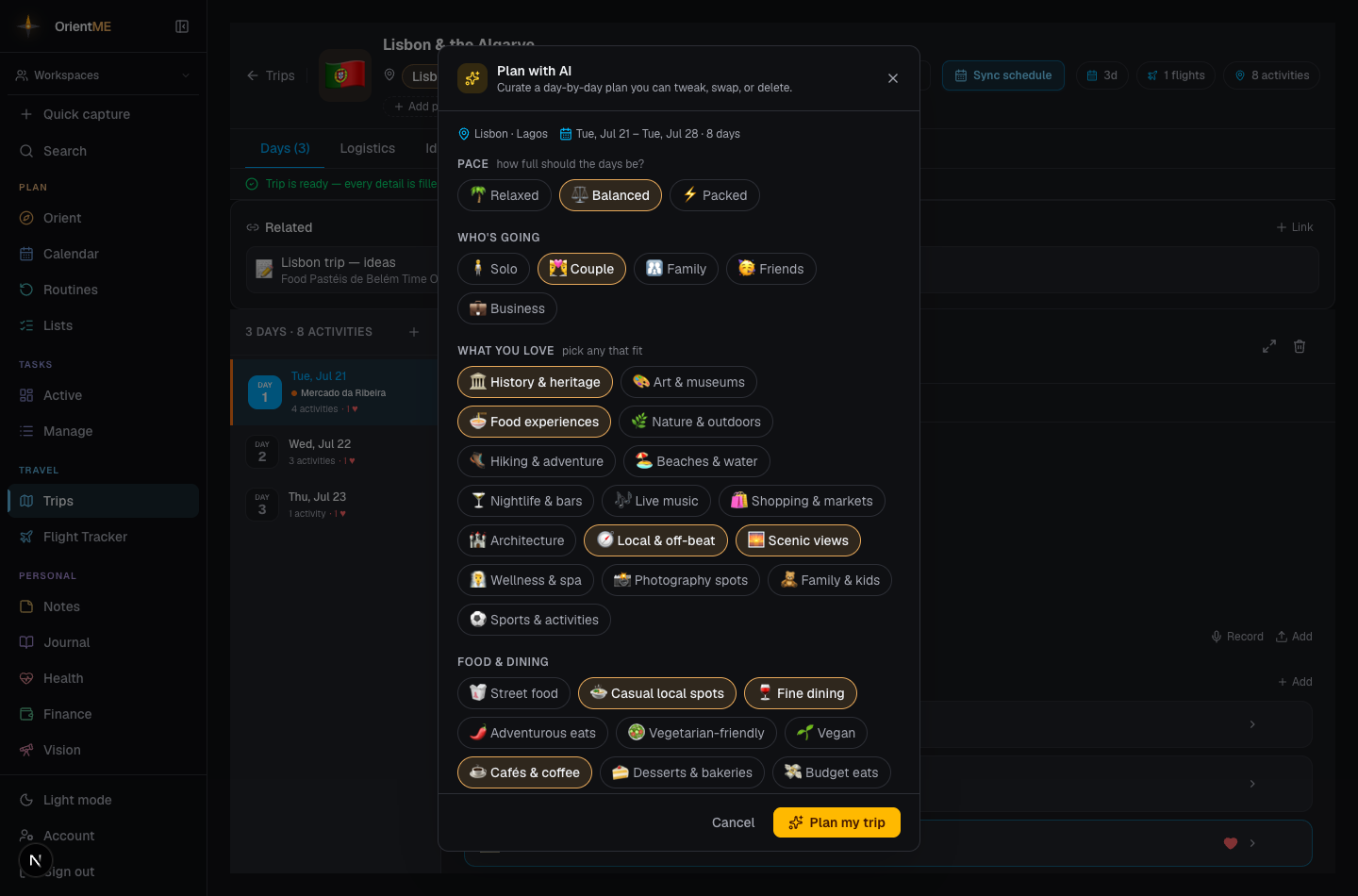
When you open it, a short panel lets you set how you like this trip to feel:
- Pace — relaxed, balanced, or packed.
- Who's going — solo, couple, family, friends, or business (a friends' trip can lean into nightlife; a family trip stays kid-friendly).
- What you love — food, history, art, nature, nightlife, shopping, and more.
- Food & dining, budget, mornings, and how much walking you're up for.
- Anything we should know and anything to avoid — free-text, for must-dos, the occasion, or things to skip.
- Activities per day and whether to suggest places to eat.
Click Plan my trip and watch the days fill in one at a time — each with timed activities, locations, short notes on why they're worth it, rough cost and duration estimates, and a one-line summary for the day. A few extra ideas land in the Ideas tab too.
Keep using the app while it plans
You don't have to wait. A longer trip can take a minute or two to plan. Click Run in background (or just close the sheet) and OrientME keeps planning while you do anything else in the app — a small progress pill stays on screen so you can peek at how it's going, jump back to the trip, or cancel. When it's done you get a notification (on mobile, even if you've left the app), and the trip is ready to review. Changed your mind mid-run? Cancel stops it — anything already added stays.
Everything AI adds is a starting point you own. Reorder, edit, or delete any of it, and add your own activities alongside. Your own activities and notes are never changed — AI suggestions are always added next to them. Run it again any time, and you can replace the previous AI suggestions while keeping everything you added yourself.
Set your usual style once under Account → Travel profile and the sheet starts pre-filled from it on every trip — you only adjust what's different this time.
The day-by-day results land in the Days tab, ready to reorder, edit, or build on.