Orient — your daily hub

Orient is your home screen and the place to start each day. It pulls together everything that matters today — across tasks, routines, plans, journal, and travel — so you can plan in one place instead of hopping between sections. It’s the first thing you see after signing in.
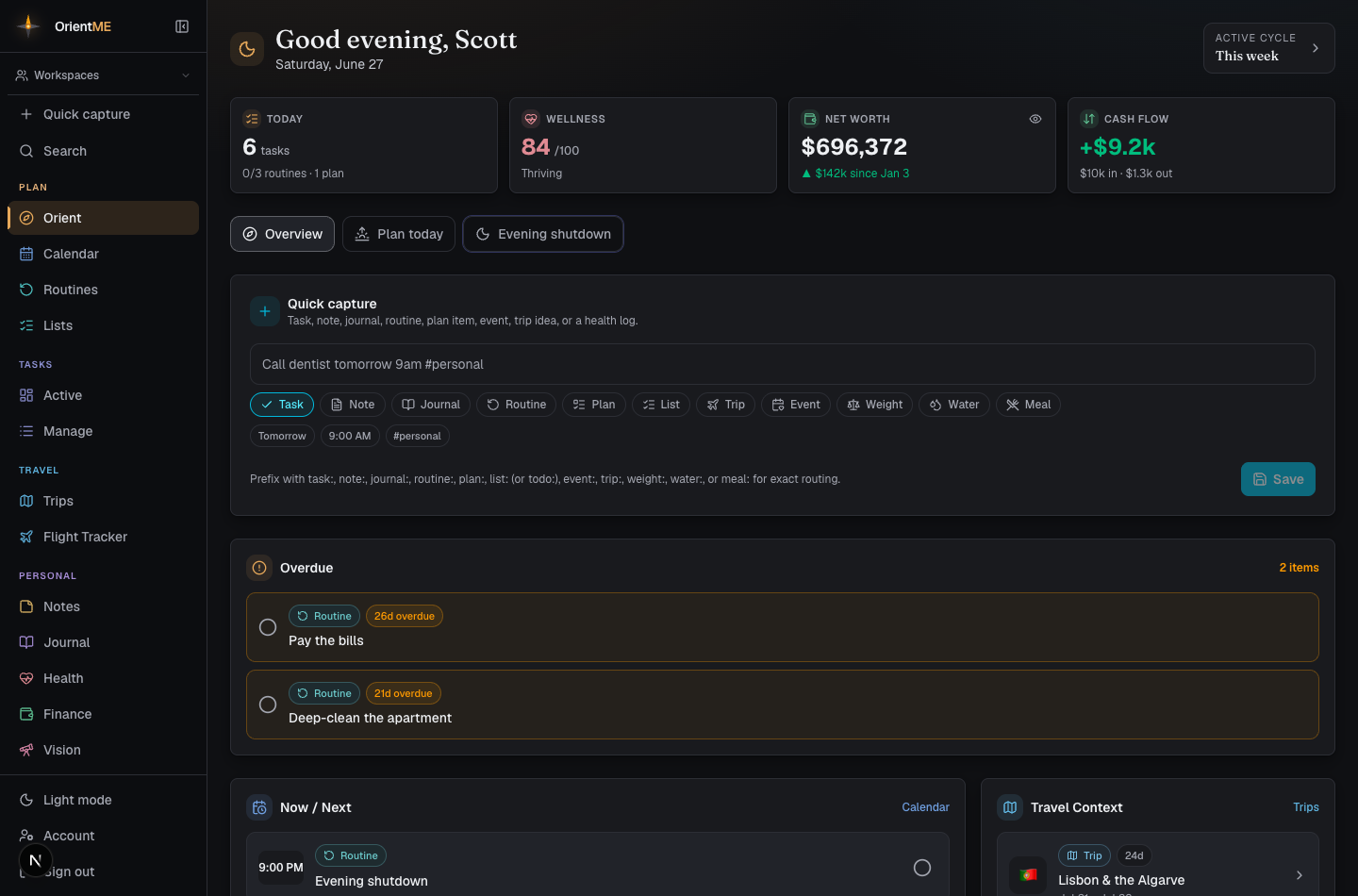
It opens with a personal greeting — Good morning, Good afternoon, Good evening, or Good night by the time of day, followed by your first name and today’s date — the same warm welcome you get on the mobile app. If you set a motto for tomorrow during last night’s Evening Shutdown, it appears right under the greeting — a quiet line in the page’s serif voice, there to aim your day.
Life at a glance
Off by default — Your week now covers the same ground by showing what changed rather than standing numbers. If you prefer the tiles, switch them back on from Customize.
When it's on, it's a row of compact tiles — a quick pulse of your day across each area. Tap any tile to jump straight to its full section.
- Today — your open task count, with routines and plan-item progress beneath it.
- Wellness — today’s wellness score and how the day is reading (for example, Balanced), plus a gentle nudge such as supplements still to take, or “Tap to log your day” when nothing’s logged yet — on the phone, that tap takes you straight into the daily check-in.
- Net worth — your current net worth and how it’s changed, with an eye icon to blur the number when you’re not alone. The blur stays in sync with the Finance page.
- Cash flow — this month’s money in vs. out at a glance.
Tiles only appear for the areas you actually use, so the strip stays uncluttered — if you only use tasks, you’ll just see the Today tile.
Start the day, close the day
Orient bookends your day with two short guided pages. You’ll never hunt for them: one chip in the header knows the time of day. In the morning it reads Start the day →; from late afternoon it becomes Close the day →; once you’ve done one, it settles into a quiet timestamp — ✓ Day closed · 10:41 PM. In the middle of the day the header simply stays calm.
On the phone, the right page can also open by itself — once a day, at the right time of day. It’s easy to wave off: going back skips it for today, and Don’t open this automatically turns the behavior off for good.
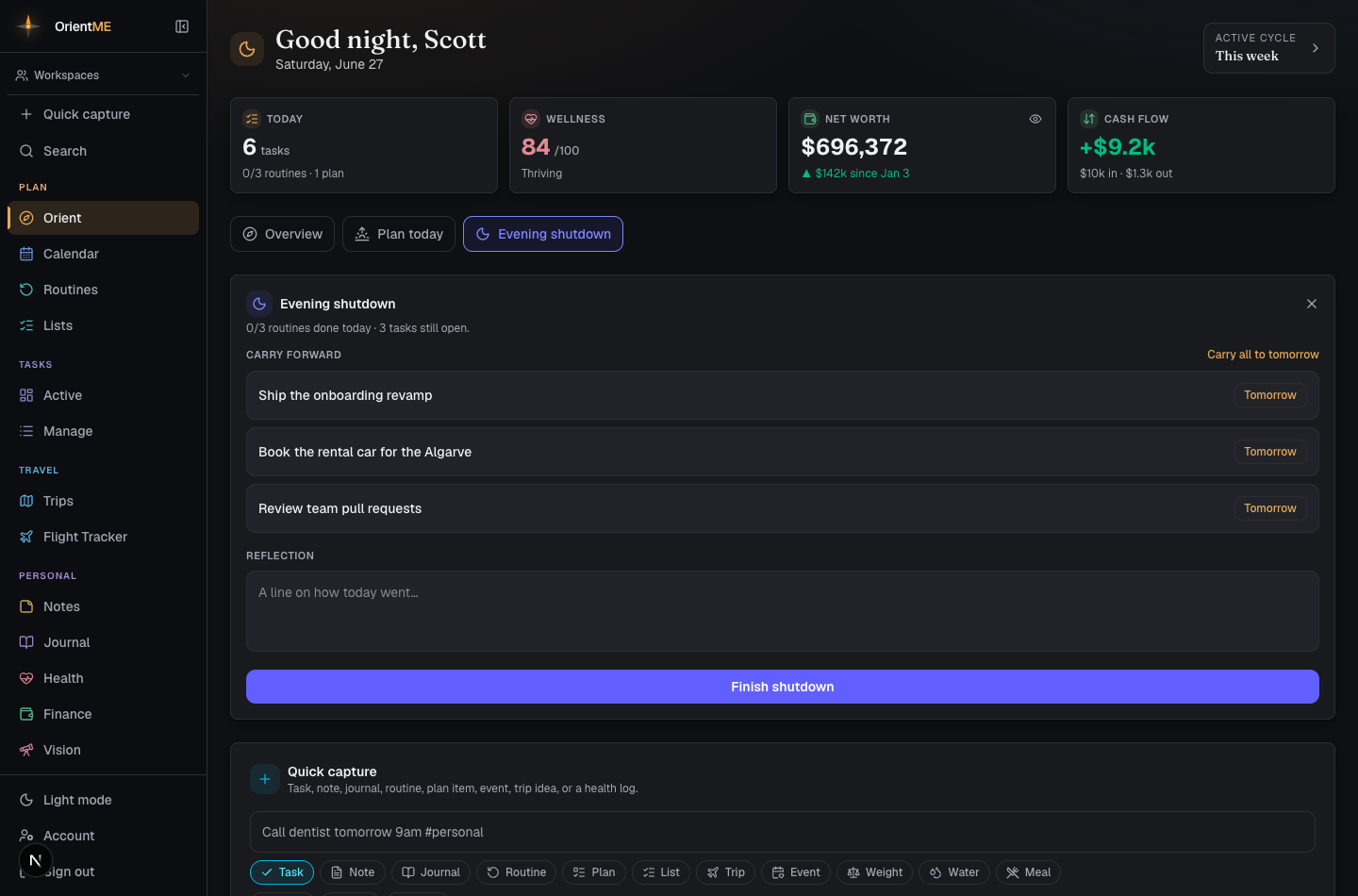
Close the day — the Evening Shutdown
A few minutes to put the day down, one skippable move at a time:
- The day, replayed — nothing to fill in: tasks closed, training time, water, routines, your day on a small timeline, and sometimes a line you wrote on this night in a past year.
- Sweep the board — every task still open gets three quick answers: Tomorrow, Queue (back to the backlog, off the clock), or Done. Or Carry all to tomorrow and be finished with it. Nothing waits for you overnight.
- Log the body — only what’s missing: top up your water (or estimate the day with one tap), log your meals — Same as yesterday re-logs yesterday’s food in one tap when you’ve eaten the usual, and recent meals are a tap each — and fill in last night’s sleep and how it felt.
- A line for today — a rotating prompt, a sentence or two, and how the day felt. It’s saved straight into your journal — mood included — so it shows up in on this day next year.
- Set up tomorrow — see tomorrow at a glance, set a morning reminder (“8:00 — call the dentist”) that arrives as a phone notification and a calendar alarm, and write a motto for tomorrow. The motto lands at the top of Orient in the morning; tick a box if you’d also like it on tomorrow’s calendar.
- Horizon — anything pulling at you? Start a trip with nothing but a name, or watch a flight with two airport codes. Tomorrow-you doesn’t have to remember it.
It ends quietly: Day closed, a plain line of what you set up, and — when tomorrow starts early — a note like “Lights out by 11:00 keeps you at 8 hours.” No confetti. Ever.
Start the day — the Morning Kickoff
Two minutes to point the day, the same calm shape:
- The brief — your motto from last night up top, today’s schedule in one glance, and anything that moved overnight (a watched fare, a trip getting close). No motto yet? Choose Write a motto for today and type one right there — it tops Orient all day (and Edit lets you rework one you set last night).
- How you slept — hours and quality, prefilled from your watch when you wear one, plus a quick mood / energy / stress read.
- Shape the day — pick today’s tasks from overdue work and your active cycle, and star one of them as your First thing — it leads your task list on Orient all day. Not a priority score; just where you’ll start.
- Worth noticing — one calm observation from your own data: a net-worth change, an upcoming trip, an on this day memory, or today’s wellness read.
- Go — The day is yours.
Every move on both pages is skippable, and everything saves as you go — leaving early never loses a thing. The morning invitation still appears once a day under the greeting; Not now and Don’t show this work as they always have.
What Orient shows
Depending on your day, Orient surfaces sections like:
| Section | What it shows |
|---|---|
| Worth knowing | Short lines about what changed, not what's due: card spending against a typical week, your wellness trend, a trip that's coming up without flights or lodging planned yet, a transfer bonus running on a card currency you actually hold (with how long it has left), and one calm observation from your own data. Fresh stories carry a New badge for a while and sort to the top; tapping a line opens the area it came from |
| Pick up where you left off | The things you touched most recently — tasks, notes, journal entries, trips, workouts, plans — each one tap from continuing. Appears when you've been active in the last two weeks |
| Needs a decision | Anything past its deadline and still open: tasks, plan items, and sticky-note reminders (each with a Today button to pull it onto today), plus weekly/monthly plan goals you never checked off once that week or month ended — even undated ones — and missed monthly routines (tick them off right here). Each row shows how many days past its date it is, and when something has sat for a while the card says so plainly — move it to today or let it go |
| Finance | A standing money snapshot from Finance: your net worth (with the same eye toggle that hides amounts everywhere), this month's cash in and out, and — whenever a credit card is carrying a balance — a Credit cards line showing exactly what's owed right now. An "Updated" stamp shows how fresh the numbers are, and opening the page quietly refreshes your linked accounts in the background when they're due (at most once a day, and only if auto-sync is on) |
| Now / Next | The next few timed items — tasks, routines, plan items, calendar events, and sticky-note reminders set for today with a time — sorted by clock, with a calendar link. Ticking a sticky's circle clears its reminder and keeps the note |
| Today’s Events | Appears when you have all-day calendar occasions today — birthdays, anniversaries, a concert or appointment — each with its category color, location, and a Tickets link when the event has one. Recurring occasions (like a yearly birthday) show up automatically |
| Today’s Tasks | Tasks planned for today, anything overdue, plus what’s active in your current cycle — complete or push to Tomorrow in place |
| Routines Due | Today’s routines, tickable right here |
| Training today | Your planned session from an active training program — name, exercise count, and time — with a Start session button (on the phone it drops you straight into the live workout). A missed session carries over with a quiet badge, and once you’ve trained the card shows a simple done line |
| Plan Items | Items from your plans scheduled for today |
| Sticky notes | Your sticky wall from Notes, in miniature — dated stickies first, in their real colors. Tap Remind me… on any sticky to give it a date (Today, Tomorrow, or pick a date and time) so it lands on your calendar and pings your phone; tap the sticky itself to open it. Appears whenever you have stickies |
| Travel Context | Your active trip and what’s coming up, plus a compact next flight row when a booked flight departs within the next 7 days — see Trips and Flights |
| Flight watches | Only appears when you track fares — each watched route's current best price against its typical price, with a below typical badge the day a real deal shows up. Tap a row to open Flights |
| Journal Prompt | A rotating prompt, plus an on this day look-back at journal entries from past years on today’s date |
| Stale tasks | Only appears when something needs it — tasks in your active cycle you haven’t touched in three or more days, so nothing quietly drifts. Open one to finish or re-plan it |
Each section links out to its full page, so Orient stays a launchpad rather than a place you get stuck.
When a section has nothing to show yet, it offers the next step instead: Add a task, Add a routine, and Add a plan item open quick capture with the right type already chosen, and the travel section offers Create a trip when no trip is on deck.
Your week
Orient opens with Your week — a plain summary of what moved and what you got done over the last seven days, each figure next to the same figure from the week before: money in and out, how your net worth moved, tasks closed, routines ticked, journal entries and notes written, training sessions, training time, total weight lifted, and your average night’s sleep.
Only money changes are coloured — spending falling is green, income falling is red. Counts of things you did are left plain on purpose: a quieter week is information, not a failure, and this is a summary rather than a score. There are no streaks or points anywhere in Orient.
Under the figures you may occasionally see a line or two worth knowing — money going out faster than it came in, or a pile of items well past their date. They only ever mention parts of the app you actually use, and never more than two at a time. Tap one to go straight there.
Every figure is a link to the section behind it.
Make it your page
Not everyone's day looks the same. If your flights matter more than your routines, put them first — and switch off the parts you never use.
You can rearrange Orient on the page itself: hover a card and a grip appears at its left edge — drag it wherever you want. Everything else moves aside.
For more control, choose Customize at the top right. It opens a small picture of your dashboard at the same proportions as the real thing, so you can see what you're arranging:
- Drag a card in the miniature to move it.
- Pick a width — a third, a half, two thirds, or the full width. Wider cards show more; narrower ones let more sit side by side.
- Use the eye button to switch a card off. Hidden cards stop loading entirely, so a lighter page is also a faster one.
- Reset puts everything back the way it started.
Your arrangement is saved to your account and shared with the mobile app, so moving a section to the top here moves it to the top on your phone too.
Already capture things from the sidebar button or with C? Hide the Quick capture section — you lose nothing and get the top of your page back.
Capture without leaving
Quick capture is built right into Orient with today’s date pre-filled, so a passing thought becomes a task, note, routine, plan item, or trip idea in seconds. See Quick capture for everything it understands.
Make the Morning Kickoff your opening move and the Evening Shutdown your closer — the header chip always points at the right one. A few minutes at each end of the day keeps your check-in, the board, tomorrow’s reminders, and your motto all lined up.
Orient is also the first tab in the mobile app, so the same daily hub is with you on the go.