Expenses & memories
The Expenses tab tracks what you spend on a trip — by category, with optional budgets, and with who-paid splits for group trips. If you’ve connected a bank, it can even gather your real card and bank spending automatically. This page also covers the Memories and Library tabs.
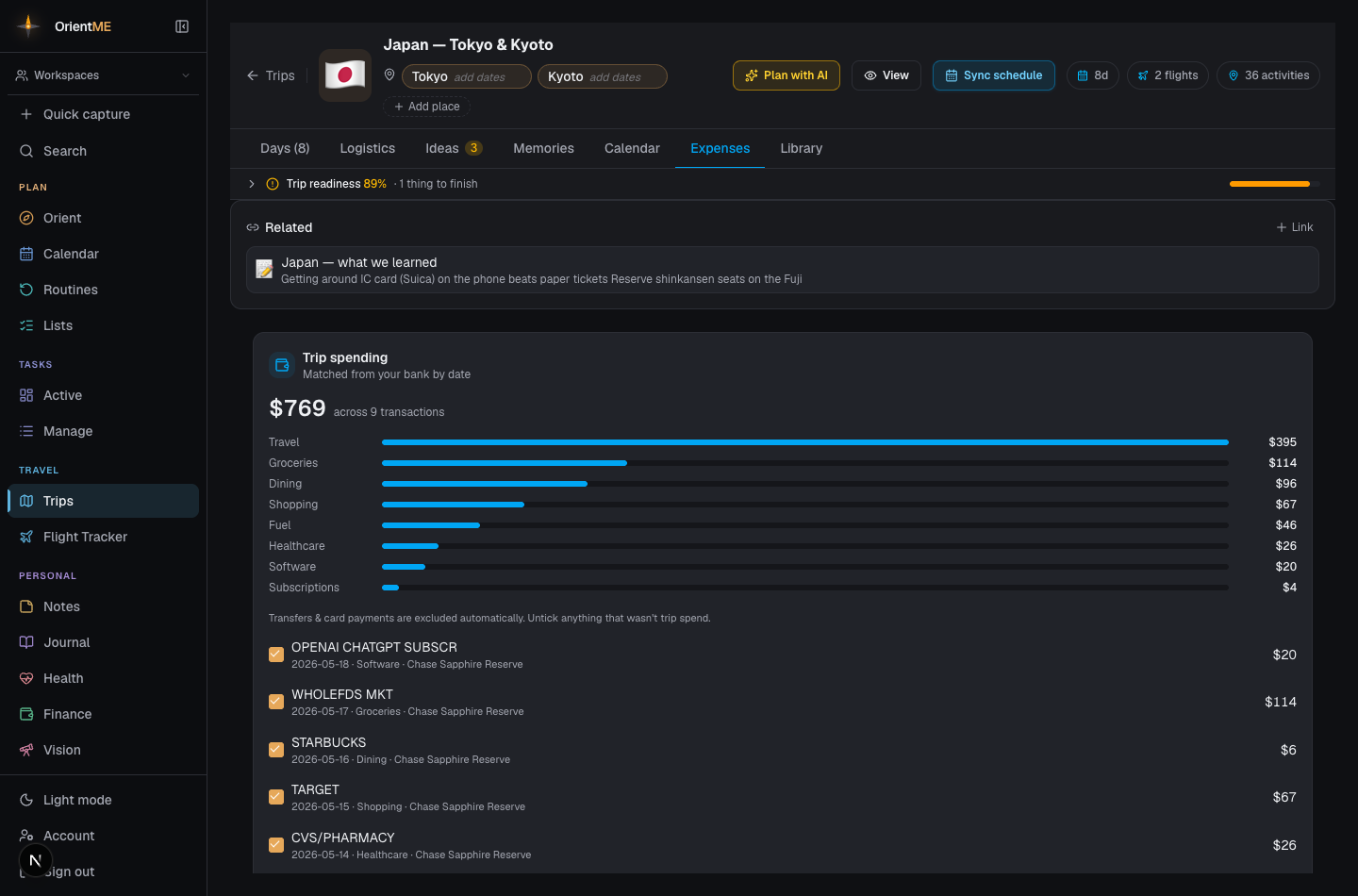
Expenses
The Expenses tab tracks what you spend, by category, with an optional budget bar. On a group trip you can record who paid and split costs equally or by custom amounts; a settlement summary then shows who owes whom. Export everything to CSV, and attach receipts to any expense.
Add the people you’re traveling with under People on this trip — they don’t need an account. Splitting and settlement only appear once there’s more than just you.
Trip spending — matched from your bank
If you’ve connected a bank account in Finance, the top of the Expenses tab shows Trip spending: your card and bank transactions from the trip’s dates, gathered up automatically into a total and a breakdown by category — no manual entry. Transfers and credit-card payments are left out (they’re not new spending), and anything that wasn’t really trip spend can be unticked to drop it from the total. It only ever shows your own transactions, and it needs the trip to have start and end dates set. On a trip you’re sharing, each traveler sees only their own spending — nobody’s bank activity is shared with the group.
Memories and Library
- Memories collects every activity you hearted as a highlight (the heart on an activity in the Days tab), plus a photo grid of all the images attached anywhere in the trip.
- Library is one place to find every file across the trip — tickets, confirmations, receipts, and voice memos — alongside a trip-level document uploader.