Nutrition
The Nutrition tab is your daily food log: meals, macros, and hydration, day by day.
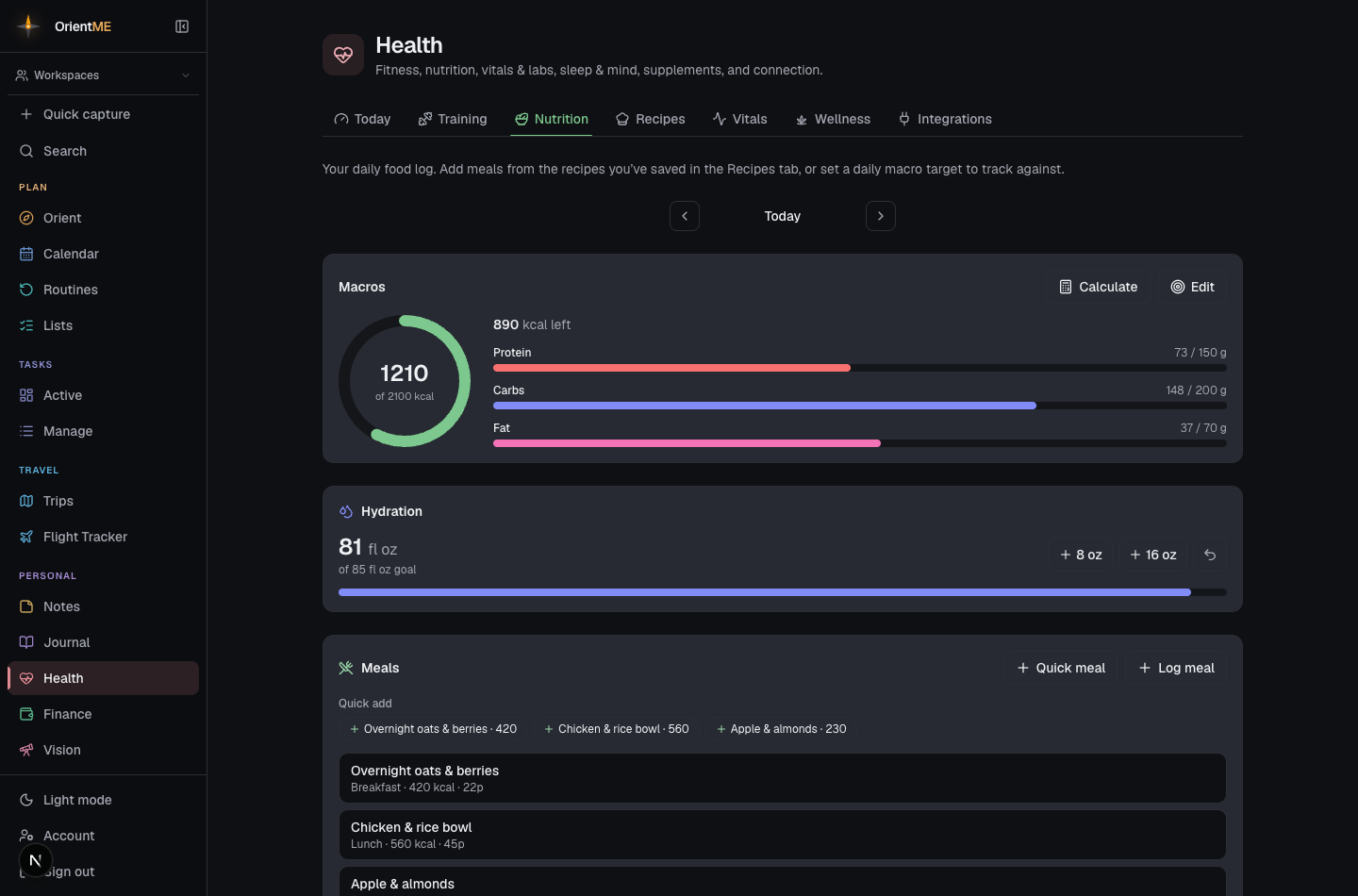
Use the day navigation to move between days, and Log meal by choosing one of your saved recipes and the number of servings — or type in calories and macros directly. Set a daily macro target and the rings on Today and Nutrition show how much you have left. Track water with one-tap +250 / +500 ml buttons.
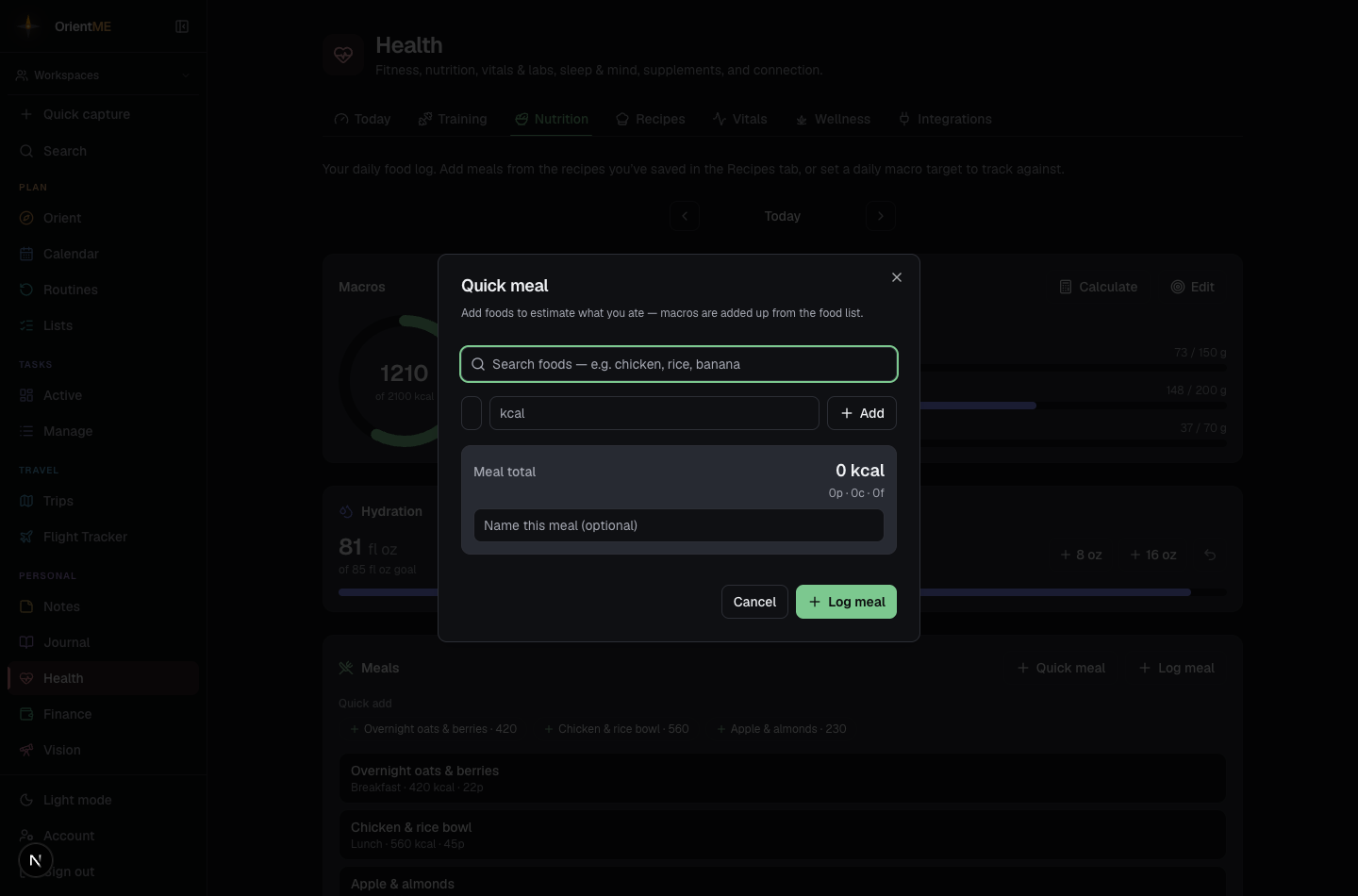
Quick meal is the fastest way to log what you actually ate: search a built-in food list (chicken, rice, banana, and hundreds more), add a few items, dial in the servings, and OrientME adds up the calories and macros for you — no nutrition math. Anything not in the list, you can add as a custom item with a rough calorie estimate. Name the meal (optional) and log it in one tap.
A Quick add row above your meals lists the meals you log most often — tap one to re-log it instantly. An Added toast appears with an Undo button, so a stray tap is one tap to take back. To change anything about a logged meal, just tap its row to open the editor.
Add from recipes
A slim Add from recipes rail sits alongside your food log. Tap one of the recipe chips and it’s logged instantly — one serving, straight into the day you’re viewing, with the meal type picked from the time of day when that day is today (back-filling another day logs it as a snack). The Added toast has an Undo if you change your mind, and tapping the logged meal row lets you adjust servings or meal type. To see your whole library, tap Browse all → to jump over to the Recipes tab.