Investments
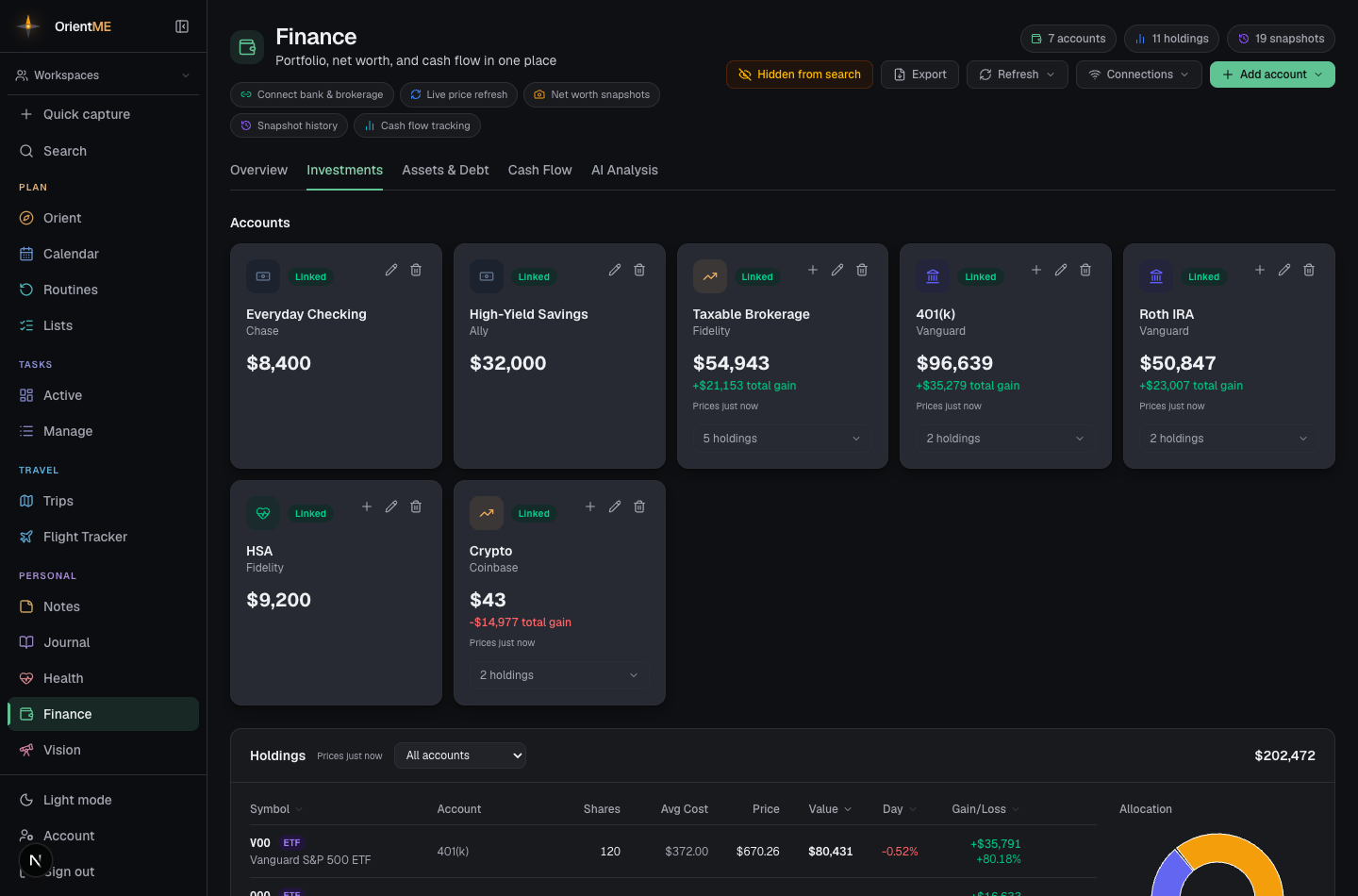
The Investments tab is your accounts and the full holdings table in one place — every position priced live, with a portfolio allocation donut alongside. Add holdings to any brokerage, retirement, or HSA account (set those up first on Accounts & connections).
Holdings
On a brokerage, retirement, or HSA account, add a holding with its ticker symbol, number of shares, and (optionally) average cost — plus free-form notes if you want to remember why you hold it. While editing, the refresh button next to the ticker fetches the live price on the spot (and fills in the company name for you). The holding is priced right away, and the Holdings table shows price, value, day change, and gain/loss, with a portfolio allocation donut alongside.
On the mobile app, the Investments tab has the same two ways in: By account shows each investment account with its balance, gain, and expandable positions, while Holdings is the flat list across every account — total value with today's move and all-time gain, an allocation bar, account filter, and sorting by value, gain, day change, or symbol. Tap any position to edit it, and tap the eye on the net-worth banner any time to mask every dollar amount.
Open the header Refresh menu and choose Refresh prices to pull the latest prices for every holding at once. The same menu has Refresh balances (re-pull your bank and brokerage balances) and Refresh transactions (update the Cash Flow feed) — each runs on its own so you always know exactly what was updated. For how each kind of data refreshes automatically on its own schedule, see Keeping data fresh.
Employee stock plans (RSUs / ESPP)
If you connect an employee stock plan (for example an E*TRADE grant), your account balance and net worth count only the shares you actually own — the vested ones. The shares that are still vesting aren't yours yet, so they stay out of your net worth.
To keep that future value visible, a stock-plan account shows a Vesting panel: the dollar value of your unvested shares, how far along the grant is (a “% vested” bar), and — when a cost basis is available — the gain riding on those unvested shares. It's clearly labeled “not in net worth” so it never inflates your totals. In the Holdings table, each stock-plan position adds a matching muted Vesting line beneath it with the same figures.
What each sync card tells you
Each item is a small card that tells you, at a glance, what it syncs and from where (prices come from Yahoo Finance; balances and transactions from your linked banks; holdings from your brokerages), plus a colored status: green Available now, Next in 5 days when it's not due yet, or amber Syncs on open if it's never run. After a sync the card shows what it pulled — for example "34 quotes · synced 2h ago". If a sync fails, the card turns it into a red Sync failed flag with the reason (and a small red dot appears on the Refresh button) so a problem like a bank that needs reconnecting never passes by silently.
For reconnecting a bank or pulling in newly available accounts, see Accounts & connections.